Tue, May 6, 2025
Create a Digital Hall of Fame Without Coding
In the digital age, celebrating achievements should no longer be limited to a bulletin board or a static web page. The Digital Hall of Fame has become a modern, dynamic, and engaging way to honor students, alumni, employees, or partners who shape an organization’s identity.
Whether you’re a communications manager, event coordinator, or HR team member, these displays offer an innovative approach to showcase career paths, strengthen a sense of belonging, and provide visitors with a memorable experience.
What Is a Digital Hall of Fame?
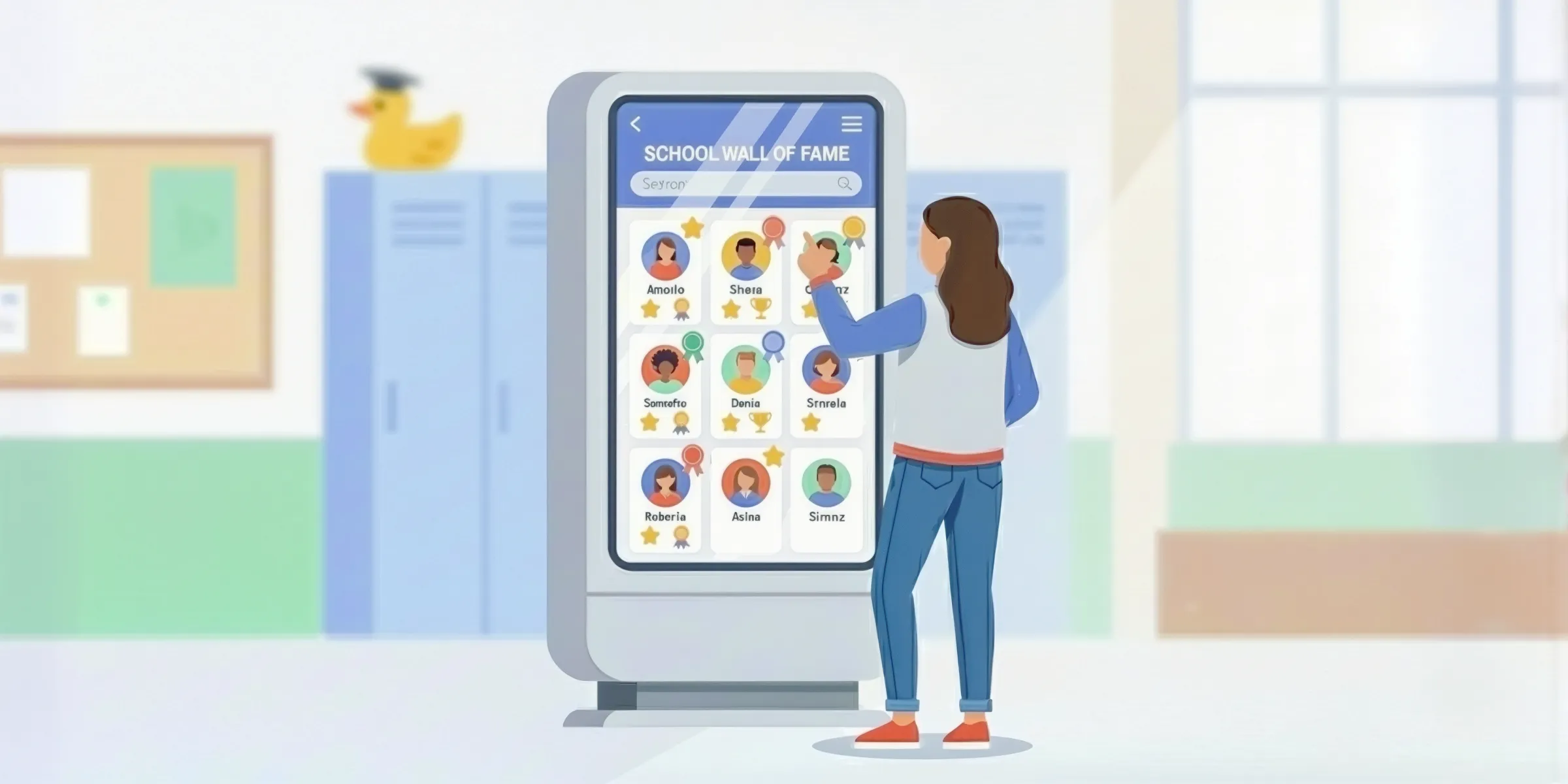
A Digital Hall of Fame is an interactive interface displayed on an interactive touch screen, tablet, or screen that allows users to navigate through profiles, achievements, videos, stories, and multimedia content.
This type of display can include:
- Photos, videos, or quotes,
- Interactive profile cards tracing a career or project,
- Filters by name, graduation year, role, or theme,
- An immersive presentation tailored to your institution or company’s identity.

Common Use Cases
- Schools & universities: highlight graduating classes, remarkable projects, inspiring career paths, or academic distinctions.
- Companies: showcase internal successes, company history, or team portraits.
- Events: present award winners, speakers, startups, or program highlights in a dynamic way.
The Limitations of Traditional Tools
Before the emergence of more flexible tools, designing a Digital Hall of Fame was often challenging:
- ❌ Rigid interfaces with very limited customization,
- ❌ Solutions requiring a technical team or custom development,
- ❌ Sometimes high costs, especially for temporary installations,
- ❌ Dependence on a constant internet connection to load content.
These constraints still hold back some projects today, particularly when they need to be deployed quickly or in various contexts (campuses, trade shows, exhibitions…).
A No-Code Approach to Simplify Creation
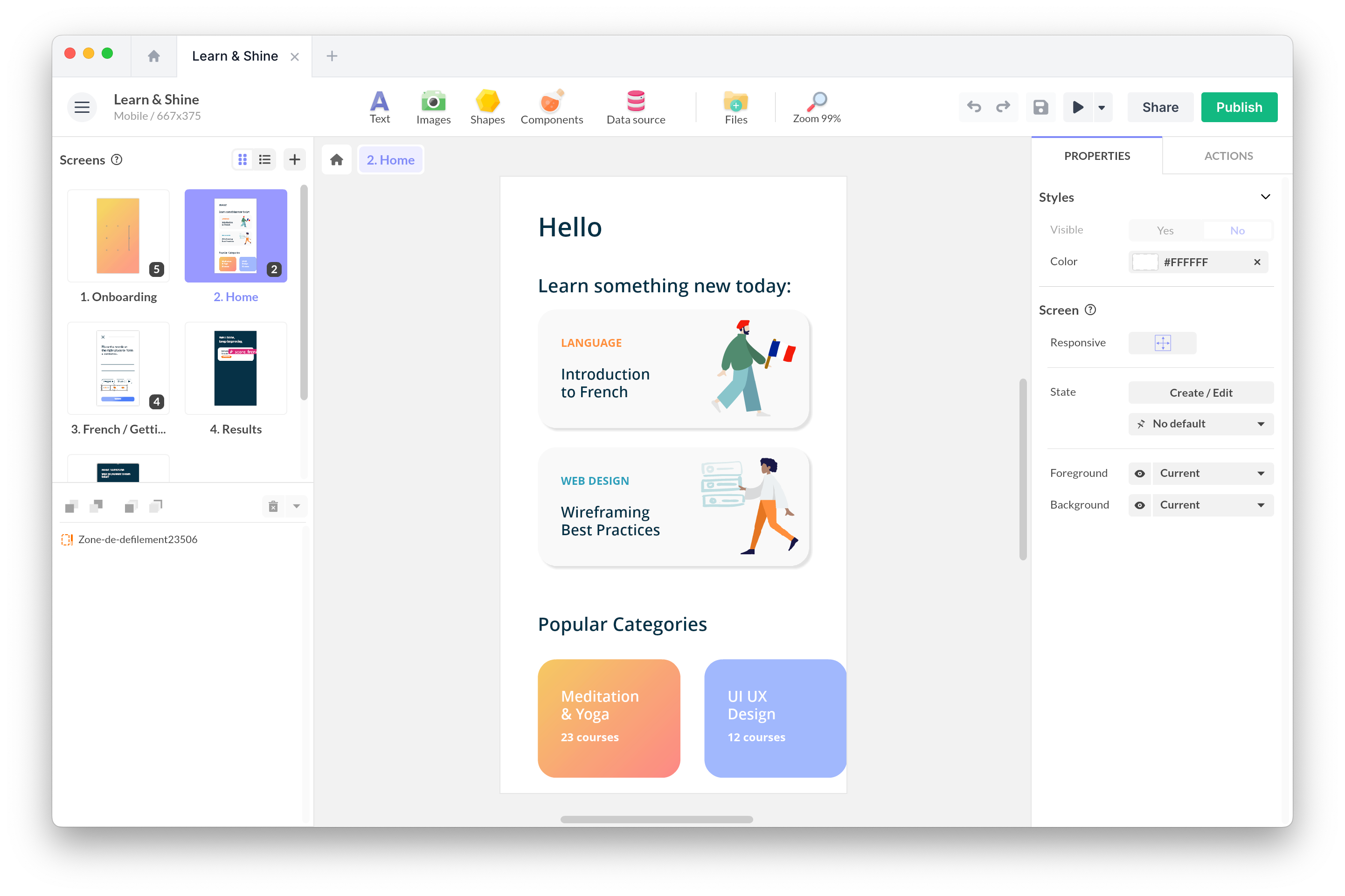
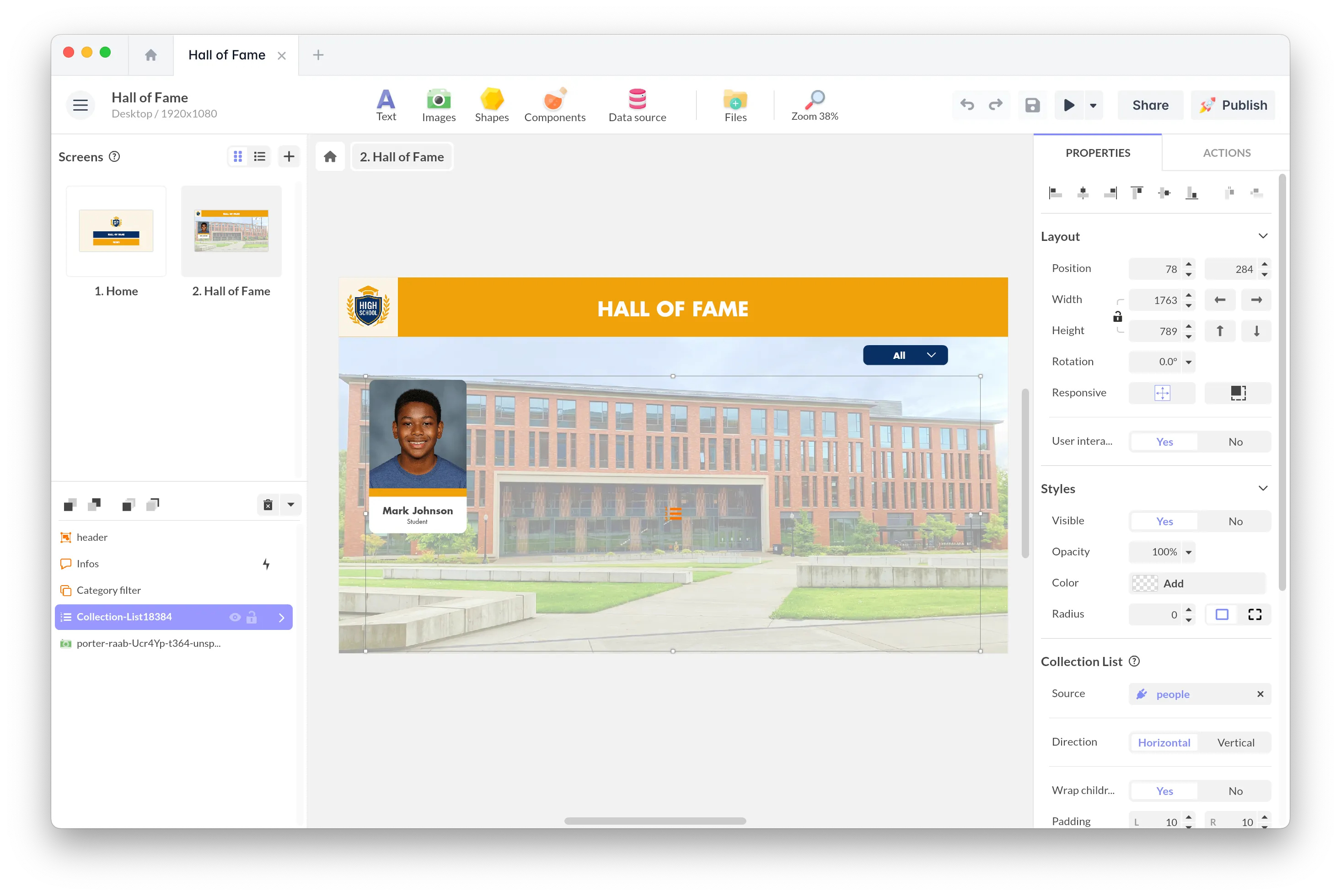
PandaSuite allows you to design this type of interactive experience without coding, using a flexible visual editor. The goal: provide the freedom of a custom project without the technical complexity usually involved.
What PandaSuite Enables
- Great design freedom: screen structure, animations, transitions, interactions…
- Multi-platform deployment: touchscreen kiosk, tablet, computer, web.
- Offline functionality: useful in spaces without reliable internet.
- Dynamic data management: connect a database (PandaSuite, Airtable, etc.) to automatically populate profiles.
- Accessible learning curve: allowing non-technical teams to design and evolve the display.
A Free Template to Get Started Immediately
To facilitate your first experiments, we offer a free template of a Digital Hall of Fame ready to open in PandaSuite. It allows you to quickly understand the no-code logic, explore possible interactions, and visualize a functional structure.
This template includes:
- A mosaic of portraits on the home page,
- A filter system (graduation year, team, category),
- Interactive profile cards with photo, text, and media,
- Touch-friendly navigation,
- A fully customizable layout.
👉 Access the free template Digital Hall of Fame
This starting point is designed to be explored, adapted, or transformed according to your needs: whether your project is simple or more ambitious, it will help you master the fundamentals.
Case Study: Wall of Honor – Fort Miles Museum
The Wall of Honor at Fort Miles Museum concretely illustrates how an interactive display can modernize access to information and simplify its maintenance.
For years, biographies, photos, and documents of honorees were gathered in three large paper binders. These documents were heavy to maintain and were only viewable at the museum. Even the index to locate pavers was entirely manual.
Objectives
- Make information accessible on-site and remotely,
- Improve the visitor experience,
- Simplify maintenance,
- Centralize data scattered across paper formats.
Implementation
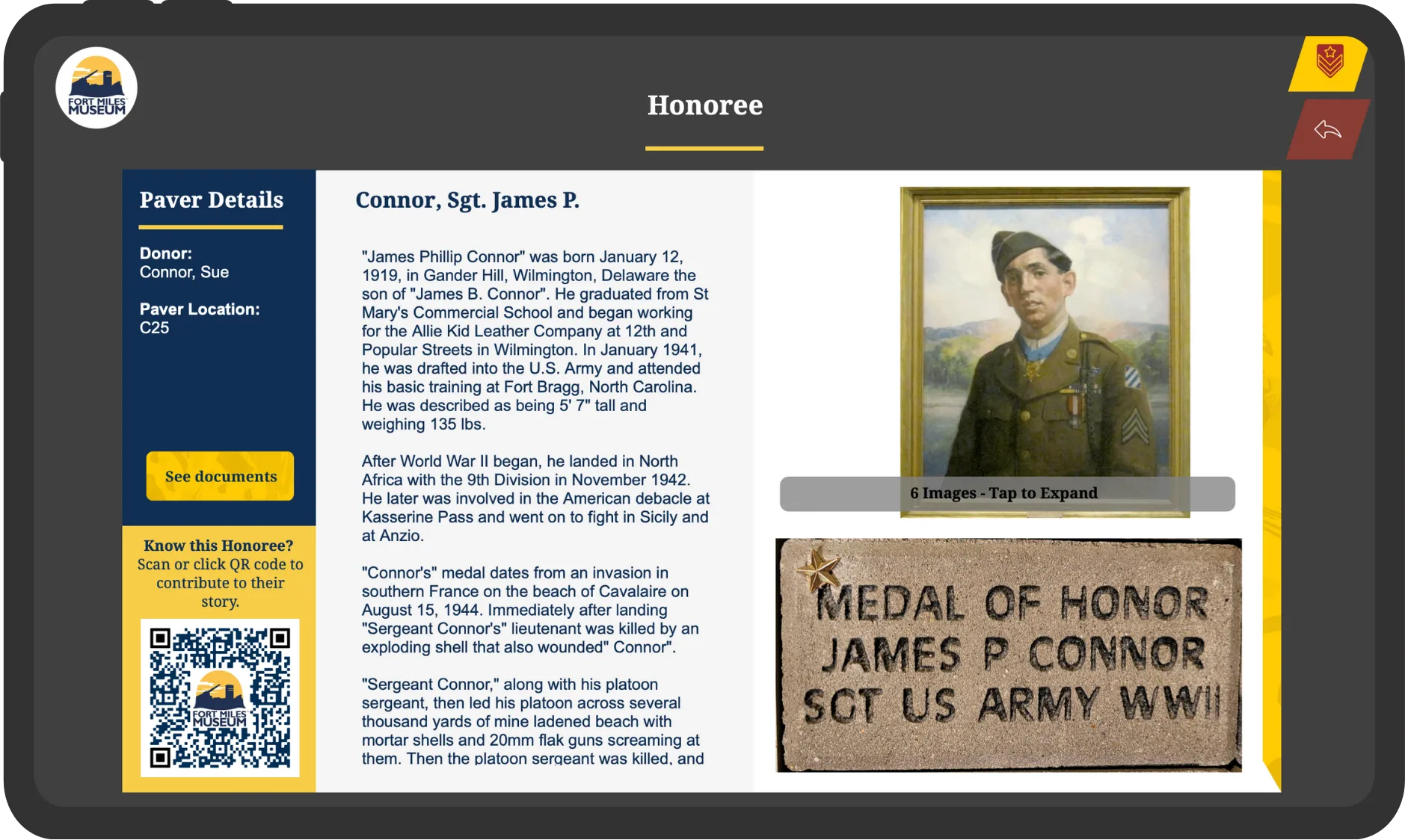
The project consisted of:
- Digitizing all archives,
- Structuring the data in an Airtable database,
- Designing an interactive interface with PandaSuite,
- Deploying the application on an Ideum kiosk,
- Putting online a version accessible from anywhere.
By transferring all our paper archives into an Airtable database with a PandaSuite interface, all the information became immediately accessible at the museum and online. Maintenance is now very simple, and the project is a huge success. Charlie Daneri, IT Manager at Fort Miles Museum
👉 View the project: Digital Hall of Fame Fort Miles Museum
How to Create Your Digital Hall of Fame
Here are the main steps to design your display:
- Create an account at pandasuite.com
- Open a new project in the editor
- Import your content (photos, texts, videos, database…)
- Add interactions (filters, popups, animations…)
- Test the result via the PandaSuite Viewer app
- Deploy your project on your devices (kiosk, tablet, web)
These steps can be done progressively, depending on needs or project complexity.
Conclusion
Inspiring profiles, remarkable projects, iconic career paths… Organizations are full of stories to tell. The Digital Hall of Fame offers a contemporary and accessible way to highlight them while engaging your audiences in a new way.
Thanks to no-code approaches, it’s now possible to design this type of display in-house, at your own pace, and without technical expertise. A simple and flexible way to showcase what makes your community special.
Digital Hall of Fame FAQ
What is a Digital Hall of Fame?
An interactive display for presenting people, projects, or achievements in digital format, accessible on kiosks, tablets, or the web.
What are the possible use cases?
Schools, companies, museums, incubators, events… Any organization looking to highlight people or achievements in a modern way.
Do I need to know how to code?
No. PandaSuite allows you to create the entire experience via a visual editor.
What equipment is needed?
Touchscreen, tablet, totem, computer, or web browser. The choice depends on your deployment context.
Can I connect a database?
Yes: PandaSuite internal database, Airtable, REST API, Google Sheets… Profiles can be updated automatically.
Can the application work offline?
Yes. Offline mode is particularly useful for standalone installations.
Can the interface be customized?
Absolutely: colors, fonts, layout, transitions, interactions, filters, animations.
Is there a template to get started?
Yes, a free template is provided in this article for quick experimentation.